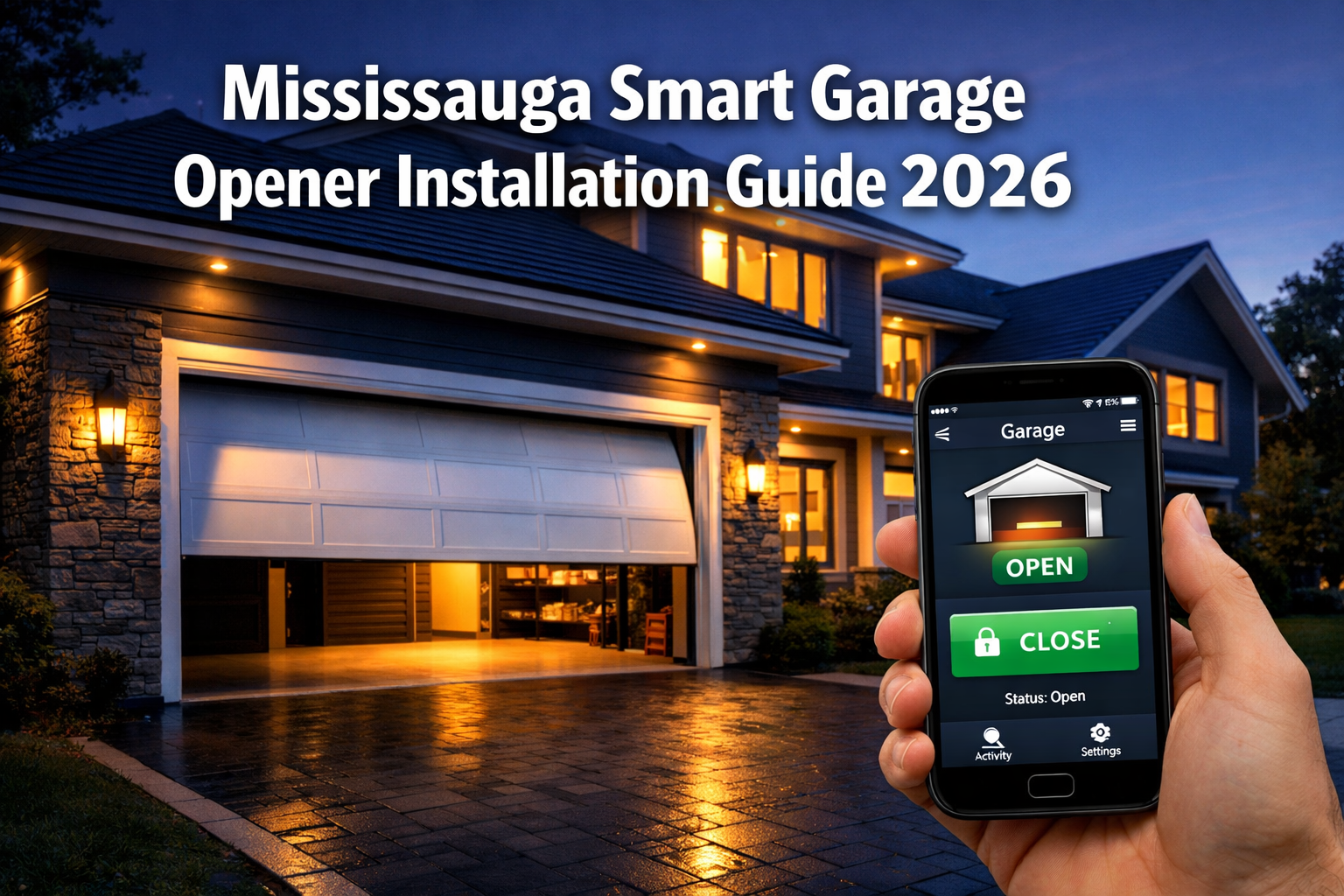
Last updated: June 5, 2026
Quick Answer
A smart garage opener lets you open, close, and monitor your garage door remotely using a smartphone app. Installing one in Mississauga costs roughly $300 to $900 CAD for a full unit replacement, or as little as $50 to $150 CAD for a retrofit hub on a compatible existing opener. Most intermediate DIYers can complete the job in two to four hours, but spring-related work should always go to a licensed technician.
Key Takeaways
- Smart garage openers add remote access, real-time alerts, and optional camera integration to any home.
- A retrofit hub (such as myQ) is the lowest-cost path if your current opener is compatible.
- Full replacement makes sense when your opener is more than 10 to 15 years old, noisy, or lacks modern safety features.
- Chamberlain and LiftMaster are the most widely recommended brands for cold Canadian winters due to their heated motor options and robust cold-weather ratings.
- You need a 2.4 GHz Wi-Fi signal that reaches your garage, not a fast internet plan.
- As of 2026, roughly 11% of internet-connected households in the U.S. own a smart garage opener, meaning adoption is still growing and product support is improving quickly.
- Most Mississauga homeowners do not need a building permit for a like-for-like opener replacement, but adding new electrical circuits does require one.
- Professional installation typically comes with a one-year labour warranty; many brand warranties cover parts for one to three years.
What Exactly Is a Smart Garage Door Opener?
A smart garage door opener is a motorized door operator that connects to your home Wi-Fi and is controlled through a smartphone app. Unlike a standard opener, which only responds to a physical remote or wall button, a smart opener lets you open or close the door from anywhere, receive notifications when the door is left open, and grant timed or one-time access codes to delivery drivers or guests.
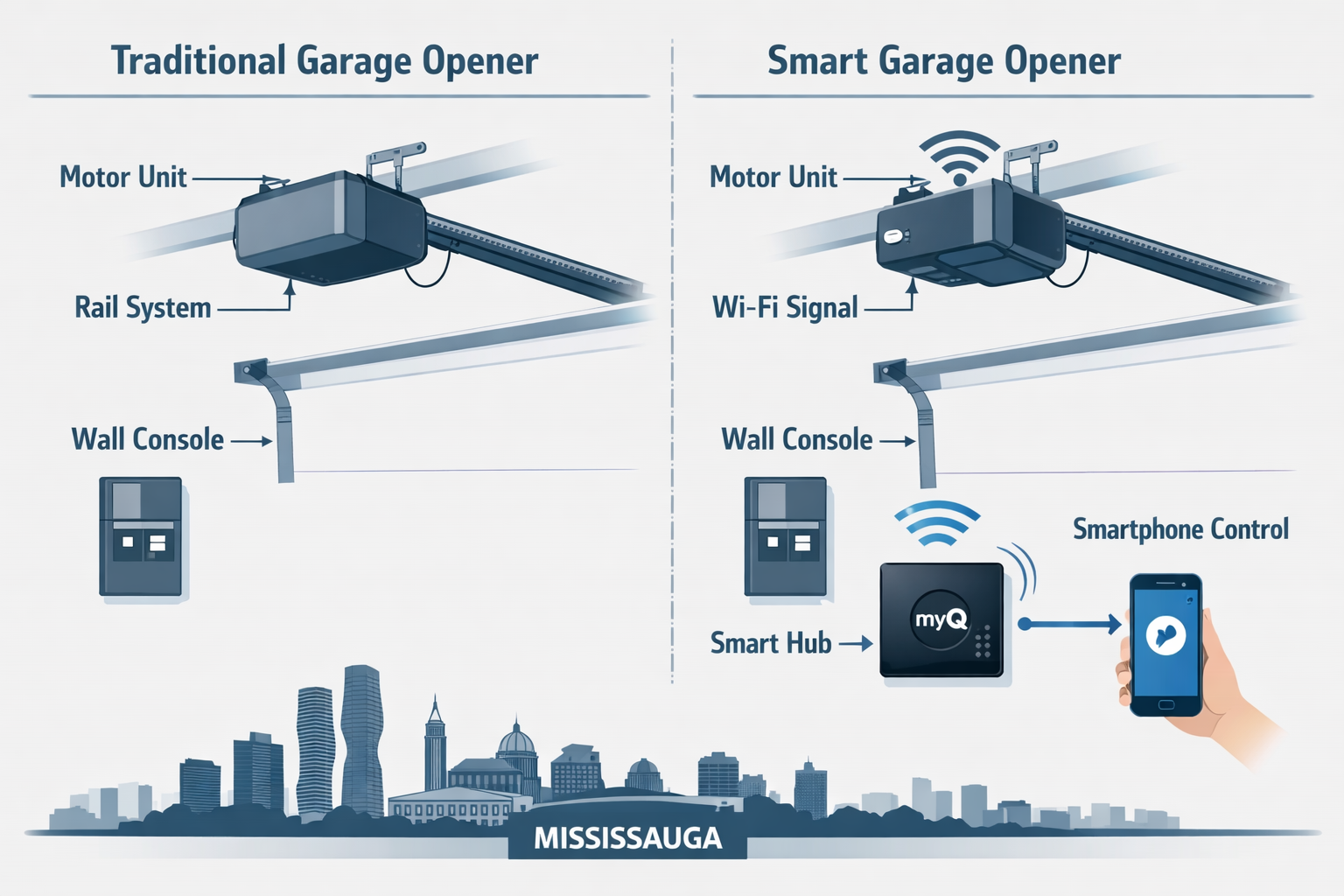
The core components are the same as a traditional opener: a motor unit, a drive rail (chain, belt, or screw), a wall console, and safety sensors. What makes it “smart” is either a built-in Wi-Fi module in the motor head or an add-on hub that bridges the existing opener to the internet.
Two main setup paths:
- Built-in smart opener: The motor unit has Wi-Fi built in from the factory. You install it like a standard opener, then pair it to the app.
- Retrofit smart hub: A small device (such as the Chamberlain myQ Smart Garage Hub) clips onto your existing opener and adds app connectivity without replacing the whole unit. This works only with compatible openers, so check the manufacturer’s compatibility list first.
The Home Depot frames smart openers as a convenience-and-security upgrade, highlighting features like remote open/close, timed access, one-time codes, and optional camera add-ons. That framing is accurate and practical for Mississauga homeowners who want more control without a full home-automation overhaul.
How Much Does Smart Garage Opener Installation Cost in Mississauga?
In Mississauga, expect to pay between $300 and $900 CAD for a full smart opener replacement, including parts and professional labour. A retrofit hub installation runs $150 to $350 CAD all-in when done by a technician.
Cost breakdown (2026 estimates, CAD):
| Scenario | Parts Cost | Labour Cost | Total Estimate |
|---|---|---|---|
| Retrofit hub (DIY) | $50 – $150 | $0 | $50 – $150 |
| Retrofit hub (pro install) | $50 – $150 | $100 – $200 | $150 – $350 |
| Full smart opener (DIY) | $200 – $500 | $0 | $200 – $500 |
| Full smart opener (pro install) | $200 – $500 | $150 – $300 | $350 – $800+ |
| Premium unit with camera (pro) | $400 – $600 | $150 – $300 | $550 – $900+ |
Factors that push costs up include: ceiling height above 7 feet (requires an extension kit), a two-car garage, older wiring that needs updating, or adding a new dedicated outlet. If you’re also replacing the door itself, see the garage door installation options from Oakview Garage Doors to bundle the work and potentially reduce labour costs.
Common mistake: Choosing the cheapest opener without checking whether it includes a battery backup. Ontario power outages are frequent enough that a battery backup garage door opener is worth the extra $50 to $100 CAD, especially in winter storms.
Can I Install a Smart Garage Opener Myself, or Do I Need a Professional?
Most healthy adults with basic tool skills can install a smart garage opener themselves. The Home Depot rates the project as intermediate difficulty with a two-to-four-hour time window. However, any work involving garage door springs must be left to a professional, because torsion springs are under extreme tension and can cause serious injury if mishandled.
DIY is reasonable if:
- You are doing a like-for-like replacement (same drive type, same ceiling height).
- The existing wiring and outlet are already in place.
- No spring adjustment or replacement is needed.
- You are comfortable reading a wiring diagram and working on a ladder.
Hire a professional if:
- The springs need adjustment or replacement. (See broken garage door spring warning signs before attempting anything yourself.)
- Your garage ceiling is finished drywall and you need to fish new wiring.
- You are upgrading from a single-car to a double-car opener setup.
- You want the installation covered by a labour warranty.
For Mississauga residents who want same-day professional help, emergency garage door repair and installation services in Mississauga are available for urgent situations.
Which Smart Garage Opener Brands Work Best in Canadian Winters?
Chamberlain, LiftMaster, and Genie are the three brands most consistently recommended for Canadian climates. Chamberlain and LiftMaster (which share the same parent company) offer models with cold-weather-rated motors, heated motor options, and rubber-sealed drive systems that resist freezing.
Why winter matters for garage openers in Mississauga:
Mississauga temperatures regularly drop below -15°C in January and February. Standard motors can struggle to start in extreme cold, lubricants can thicken, and metal components contract enough to affect sensor alignment. Look for these specs when buying:
- Operating temperature range: Choose a unit rated to at least -20°C.
- Belt or jackshaft drive: Belt drives are quieter and handle cold better than chain drives, which need more frequent lubrication in winter. Jackshaft (wall-mount) openers avoid ceiling clearance issues entirely.
- Built-in heater: Some LiftMaster and Chamberlain units include a motor heater for sub-zero starts.
- Battery backup: Critical for Ontario winters when ice storms knock out power.
For lubricant guidance that extends the life of any opener in Ontario’s climate, the best garage door lubricant guide for Ontario covers silicone versus lithium options in detail.
Choose Chamberlain or LiftMaster if reliability in cold weather is the top priority. Choose Genie if budget is tighter and the garage is attached and heated. Avoid no-name brands with no Canadian distributor, as warranty claims become difficult.
Step-by-Step Mississauga Smart Garage Opener Installation Guide
This section walks through a standard full-replacement installation. For a retrofit hub only, skip to Step 6.
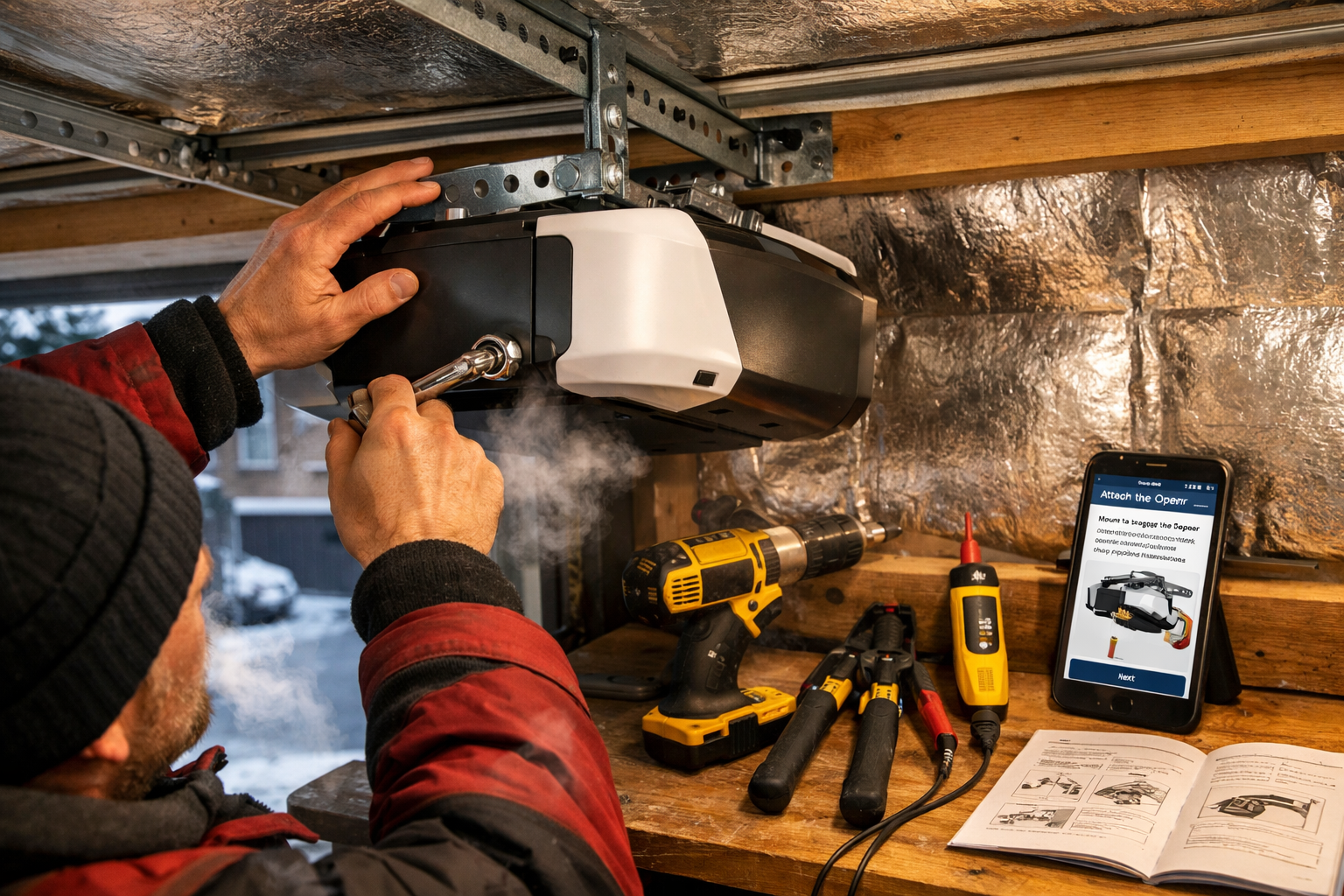
Before you start, gather these tools and materials:
- Power drill and bits
- Adjustable wrench and socket set
- Wire stripper and voltage tester
- Ladder (6-foot minimum)
- Smartphone with the opener’s app downloaded
- The opener’s manual (Chamberlain makes current manuals available for download from their support site)
Step 1: Disconnect and remove the old opener Turn off the circuit breaker for the garage outlet. Disconnect the old opener from the power outlet, unplug the safety sensor wires from the motor head, and remove the drive rail from the header bracket. Lower the motor unit carefully with a helper.
Step 2: Assemble the new drive rail Follow the manufacturer’s diagram to connect the rail sections, attach the trolley, and install the drive mechanism (belt, chain, or screw). Most kits include a quick-connect bracket.
Step 3: Mount the motor unit to the ceiling Attach the header bracket above the door centre line, then hang the motor unit using the provided straps or angle iron. The unit should be level and centred over the door.
Step 4: Connect the drive rail to the door Attach the curved door arm to the trolley and to the top bracket on the door. Check that the arm moves freely and that the door is balanced before proceeding.
Step 5: Wire the wall console and safety sensors Run the low-voltage wire from the motor head to the wall console location. Mount the safety sensors at the bottom of each door track, roughly 4 to 6 inches off the floor, and align them so the indicator lights are solid (not blinking).
Step 6: Connect to Wi-Fi and pair the app Chamberlain’s setup guidance is clear on this point: you need a 2.4 GHz Wi-Fi network with a strong signal in the garage before pairing. Connect the opener or hub to power, open the manufacturer’s app, and follow the on-screen pairing steps. If the signal is weak, a Wi-Fi extender in the garage solves most connectivity issues.
Step 7: Set travel limits and force settings Use the opener’s adjustment controls to set how far the door travels when opening and closing. Test the auto-reverse safety feature by placing a 2×4 flat on the floor under the door. The door must reverse on contact.
Step 8: Program remotes and keypads For keypad and remote programming specific to Oakville and the Greater Toronto Area, the keypad and remote programming guide covers the most common Chamberlain, LiftMaster, and Genie models.
What Are the Top Mistakes Homeowners Make During Smart Garage Opener Installation?
The most common mistake is skipping the compatibility check before buying. Buying a retrofit hub that doesn’t support the existing opener wastes both time and money.
Other frequent errors:
- Ignoring Wi-Fi signal strength: The 2.4 GHz band reaches farther than 5 GHz but still struggles through thick concrete walls. Test signal strength in the garage before installation, not after.
- Misaligning safety sensors: Even a small tilt causes the door to reverse immediately or refuse to close. The indicator lights on both sensors must be solid, not blinking.
- Skipping the force/travel adjustment: A door that closes with too much force is a safety hazard. Always test the auto-reverse function after installation.
- Not reading the manual for the specific model: Chamberlain alone has dozens of models with different wiring diagrams. Downloading the correct manual from the manufacturer’s support site before starting prevents most wiring errors.
- Attempting spring work without training: Torsion springs store enough energy to cause severe injury. If the door feels heavy or unbalanced, call a technician before installing the opener.
If the door reverses unexpectedly after installation, the guide on why garage doors reverse before closing covers the most common sensor and limit-setting causes.
Do Smart Garage Openers Work with Older Garage Door Models?
Yes, smart garage openers work with most older garage doors, provided the door itself is structurally sound and properly balanced. The opener connects to the door through a standard door arm and top bracket, which fit virtually all residential doors regardless of age.
What actually matters is the door’s condition, not its age:
- The door must be balanced. A door that’s heavy on one side strains any motor, smart or not.
- The top section must be rigid enough to handle the trolley arm connection without flexing.
- The existing tracks and hardware should be in good shape.
If the door is more than 20 years old and showing signs of wear, consider whether a garage door panel replacement or full door replacement makes more sense before investing in a smart opener.
Edge case: Some very old openers (pre-1993) use a fixed-code radio system that is no longer considered secure. These should be replaced entirely rather than retrofitted.
Is a Smart Garage Opener Worth It for a Single-Car Garage?
For a single-car garage, a smart opener is worth it if you regularly forget whether you closed the door, share access with family members on different schedules, or want to let in delivery drivers without giving out a permanent code. The convenience payoff is real even for smaller setups.
The cost difference between a standard opener and a smart opener has narrowed significantly. In 2026, many mid-range smart openers cost only $50 to $100 CAD more than their non-smart equivalents. The myQ ecosystem, for example, allows adding a camera and smart lock later without replacing the opener again. For a deeper look at the myQ platform’s value, the myQ Secure View 3-in-1 Smart Lock review covers whether the add-ons justify the cost.
Skip the smart opener if: You use the garage only for storage, have no smartphone, or have no reliable Wi-Fi anywhere near the garage and no budget for an extender.
What Internet Speed Do I Need for a Reliable Smart Garage System?
Internet speed is not the limiting factor. What matters is Wi-Fi signal strength at the garage location, and the network must broadcast on 2.4 GHz.
Most smart garage openers send only small data packets (open/close commands, status updates, alerts). A basic home internet plan with 10 Mbps download is more than sufficient. The real requirement, as Chamberlain’s setup documentation confirms, is a stable 2.4 GHz Wi-Fi signal inside the garage.
Practical checklist:
- Confirm your router broadcasts a 2.4 GHz network (most dual-band routers do this automatically).
- Stand in the garage with your phone connected to that network and run a speed test. If you get below 2 Mbps or the connection drops, add a Wi-Fi extender or a mesh node before installing the opener.
- Avoid placing the hub or opener motor directly next to large metal objects or the electrical panel, as these can interfere with the signal.
Are Smart Garage Openers Secure Against Hacking?
Modern smart garage openers from reputable brands are reasonably secure, but no connected device is completely immune. The risk is low for most residential users, but it’s not zero.
Security features to look for:
- Rolling code (Security+) technology: Changes the access code with every use, so intercepted signals cannot be replayed.
- TLS/SSL encryption: Ensures app-to-server communication is encrypted.
- Two-factor authentication (2FA): Available on myQ and some other platforms; adds a second verification step for app logins.
- Activity logs: Let you see every open/close event with a timestamp.
Practical security steps for Mississauga homeowners:
- Use a strong, unique password for the opener’s app account.
- Enable 2FA if the platform supports it.
- Keep the opener’s firmware updated through the app.
- Do not share permanent access codes; use timed or one-time codes for guests and contractors.
The biggest real-world risk is not remote hacking but physical theft of a programmed remote left in a car. Keep remotes out of sight or use the app exclusively.
Which Smart Garage Openers Are Best for Tech Beginners?
The Chamberlain myQ ecosystem is the most beginner-friendly option available in Canada in 2026. The app is well-documented, the setup process is guided step by step, and Chamberlain’s support site includes video tutorials and downloadable manuals for every model.
Best options for tech beginners:
| Brand/Model | Why It’s Beginner-Friendly | Price Range (CAD) |
|---|---|---|
| Chamberlain B2405 | Simple app, guided setup, myQ compatible | $250 – $320 |
| LiftMaster 87504-267 | Same myQ platform, built-in camera option | $350 – $450 |
| Genie ChainMax 1000 | Straightforward wiring, Aladdin Connect app | $200 – $280 |
| myQ Smart Garage Hub (retrofit) | No full replacement needed, 30-min setup | $50 – $80 |
All three brands have Canadian distributors, which means warranty claims and replacement parts are accessible without cross-border shipping.
How Do Smart Garage Openers Integrate with Home Security Systems?
Smart garage openers integrate with home security systems through either a direct platform connection or a smart home hub. The most common integrations in Canadian homes are with Google Home, Amazon Alexa, Apple HomeKit, and Ring security systems.
Integration options:
- Google Home / Amazon Alexa: Most myQ openers support voice commands and appear as devices in the Google or Alexa app. You can include the garage in routines (for example, “goodnight” closes the garage automatically).
- Apple HomeKit: Native HomeKit support is limited on myQ without a third-party bridge, but Meross and Tailwind offer HomeKit-native openers.
- Ring and ADT: Ring’s security ecosystem supports myQ integration, allowing garage door status to appear on the Ring dashboard alongside cameras and door sensors.
- IFTTT / automation platforms: For more advanced setups, IFTTT applets can trigger the garage based on location, time of day, or other smart home events.
The integration depth depends on the platform. For most Mississauga homeowners, the myQ app alone covers 90% of use cases without needing a broader smart home hub.
What Warranty Options Exist for Smart Garage Opener Installation in Mississauga?
Most smart garage openers sold in Canada come with a manufacturer’s warranty of one to three years on parts, with some premium models offering lifetime motor warranties. Professional installation typically adds a separate one-year labour warranty from the installer.
Typical warranty breakdown:
- Chamberlain / LiftMaster: 1-year parts warranty on budget models; 3-year parts and lifetime motor on premium models (e.g., the 87504 series).
- Genie: 1-year parts, 5-year motor on most residential models.
- Labour warranty (professional install in Mississauga): Usually 90 days to 1 year depending on the contractor. Ask for this in writing before work begins.
What voids a warranty:
- DIY installation on a unit the manufacturer specifies requires professional install.
- Modifications to the drive system or wiring.
- Using the opener with a door that is not properly balanced or maintained.
Before hiring a contractor, ask for an itemized quote. The guide to reading a garage door quote explains the nine line items you should see on any professional estimate, which helps you compare fairly between installers.
FAQ
Can I use a smart garage opener if my garage has no electrical outlet? No. All garage door openers require a standard 120V outlet. If there is no outlet in the garage ceiling area, an electrician must install one before the opener can be mounted. This work requires an electrical permit in Ontario.
Does Mississauga require a permit to replace a garage door opener? A like-for-like opener replacement generally does not require a building permit in Mississauga. However, if the job involves adding a new electrical circuit or outlet, an electrical permit is required under the Ontario Electrical Safety Code. When in doubt, contact the City of Mississauga’s building department to confirm.
How long does a smart garage opener last? Most quality smart openers last 10 to 15 years with regular maintenance. The smart/Wi-Fi components may become outdated sooner, but the mechanical drive system is the same as a traditional opener.
Can a smart opener work without internet? Yes. If the internet goes down, the wall console, physical remotes, and keypads still work normally. You simply lose app access and remote monitoring until connectivity is restored.
What happens to a smart garage opener during a power outage? Without a battery backup, the opener stops working entirely during a power outage. With a battery backup unit, the door can still be operated manually via the wall button or remote for a limited number of cycles. This is especially relevant in Ontario winters.
Is the myQ app free? The basic myQ app is free. Some advanced features, such as package detection alerts and certain camera integrations, require a paid subscription. Check the current myQ plan pricing before purchasing.
Can I install a smart opener on a one-piece (tilt-up) garage door? Most smart openers are designed for sectional doors. One-piece tilt-up doors require a specific adapter arm. Confirm compatibility with the manufacturer before purchasing.
How do I know if my existing opener is compatible with a retrofit hub? Check the manufacturer’s compatibility list on their website. Chamberlain’s myQ hub, for example, lists compatible brands and model numbers. If the opener is not on the list, a full replacement is the safer option.
Will a smart opener work if my garage is detached and far from the house? It will work as long as the Wi-Fi signal reaches the garage. For detached garages more than 30 to 40 feet from the router, a Wi-Fi extender or outdoor mesh node is usually needed.
What is the quietest smart garage opener for an attached garage? Belt-drive and direct-drive (jackshaft) openers are the quietest. LiftMaster’s 8500W wall-mount opener is consistently rated among the quietest options for attached garages where noise transfers into living spaces.
Can I add a camera to my smart garage opener later? Yes. The myQ ecosystem, for example, supports an add-on camera that mounts to the motor unit. Other brands offer compatible cameras through their apps. You do not need to replace the opener to add a camera.
What should I do if the opener is installed but the app won’t connect? First, confirm the garage has a 2.4 GHz Wi-Fi signal (not 5 GHz only). Second, restart the opener and the router. Third, check that the opener’s firmware is up to date through the app. If the issue persists, Chamberlain’s support site has model-specific troubleshooting steps and video guides.
Conclusion
A smart garage opener is one of the more practical home upgrades available to Mississauga homeowners in 2026. The technology is mature, the installation process is well-documented, and the cost gap between smart and standard openers has largely closed. Whether you go the retrofit hub route for $50 to $150 CAD or invest in a full replacement unit, the result is a garage that you can monitor and control from anywhere.
Actionable next steps:
- Check your existing opener’s age and compatibility. If it’s under 10 years old and on the myQ compatibility list, a retrofit hub is the fastest and cheapest path.
- Test your Wi-Fi signal in the garage before buying anything. A weak 2.4 GHz signal is the single most common reason smart openers fail to connect.
- Get at least two quotes from local Mississauga installers if you’re going the professional route. Ask each one to itemize labour, parts, and warranty terms separately.
- Add a battery backup to your purchase list if you don’t already have one, especially given Ontario’s winter power outage history.
- Download the manual before installation day from the manufacturer’s support site so you can review the wiring diagram in advance.
For any garage door issues that come up during or after installation, including spring problems, sensor faults, or door balance issues, same-day garage door repair service in Mississauga is available to handle what falls outside a standard DIY scope.